Q
uestions which arise include whether it should be digital or analogue,
whether it should be static or interactive, what can be included to elicit
a response, what form the response should take, how accurately can
the response be measured?
There is a new product available from Ricoh which can answer most of these
questions and which can solve the dilemma of whether to go with a digital
campaign or whether to stick to the more traditional paper-based marketing
campaign. Clickable Paper combines the best of paper with the best of digital
and interactive. It combines the design elements of static copy with the mobility
of smartphones and tablets offering marketers the ideal all-round solution. The
App has undergone extensive testing and customer trials in Europe and has
now been launched here in South Africa.
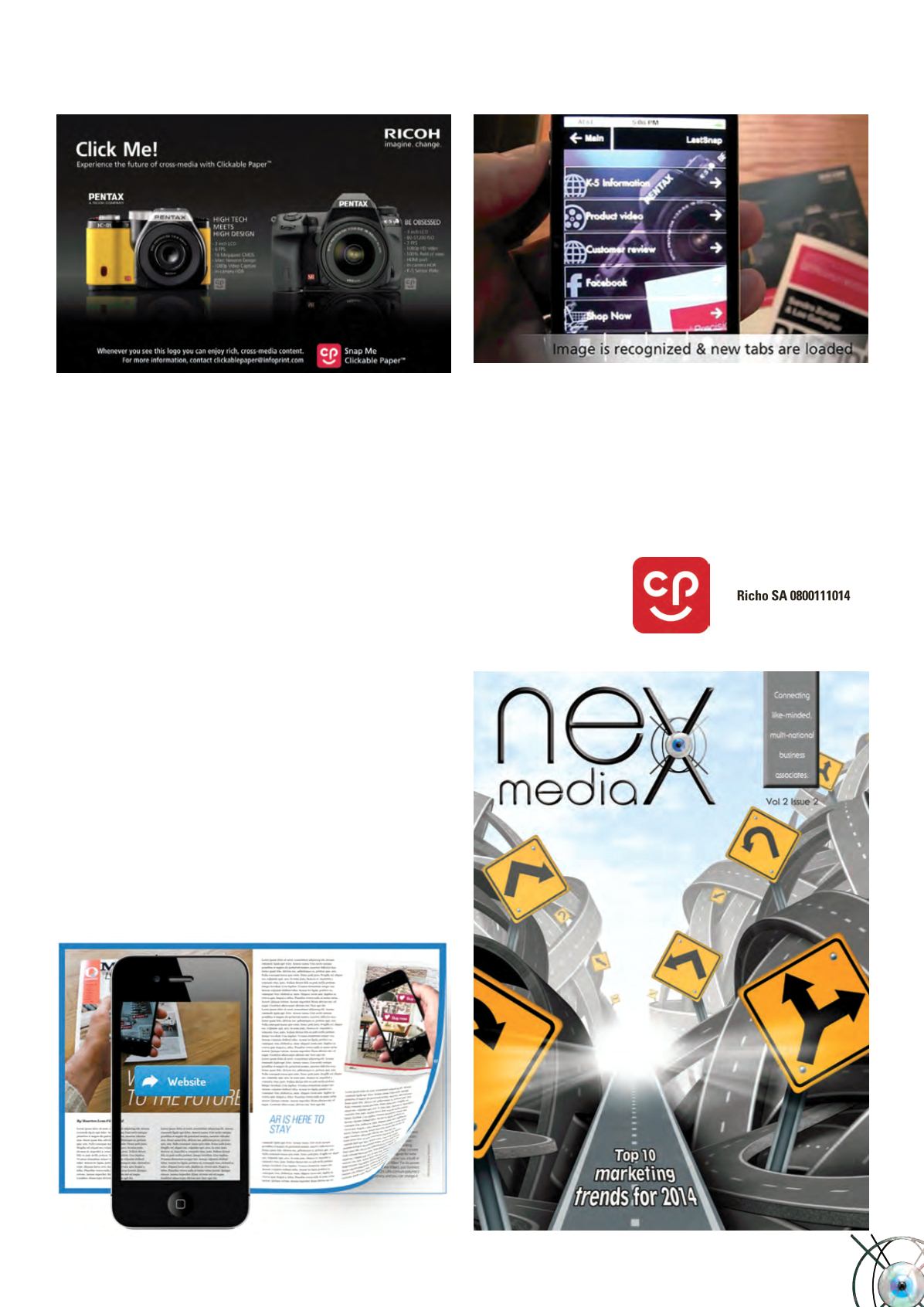
So, what is Clickable Paper? Clickable paper is simply the creation of a visual
point of reference which can be scanned using an iOS or Android Smartphone or
Tablet and a free App from Ricoh. The App recognises the visual reference such
as page or printed image on the page and links that back to up to six digital sites
such as a website, a YouTube video, multimedia link or social network. Almost
any digital content can be used as a link. In the same way, almost any visual
item can be used as the reference point.
The use of Clickable Paper also gives creatives more freedom with their printed
designs because they do not have to include any mandatory items such as
barcodes or QR Codes. Both of these items generally interfere with the design
process and limit the creativity of the design. With Clickable Paper, the logo as it
appears on the App Store can be included, but it is not required. The whole page
or portion of the page is the reference point. Not only that but with Clickable
Paper, up to six links can be provided whereas a barcode or QR code has a single
link associated with it. In addition, Clickable Paper provides full traceability
because it logs every click-through from the App.
To view the capabilities of Clickable Paper use your Android or Apple smartphone
to download the Clickable Paper App and then scan the image of the last cover of
Nex Media on this page and start browsing the available links. If you would like
to know how we can turn your advert in Nex Media into a Clickable Paper link
contact us and we can show you. Nex Media is one of the first publications
in South Africa to be using Clickable Paper.
To download the App, go to the Android App Store or the i-Store, search for
Clickable Paper and download the App which looks like this:
Scan this cover image with the App and follow one of the links
Nex Media •
Vol 2 Issue 3
49


